- Your cart is empty
- Continue Shopping

Any Desk
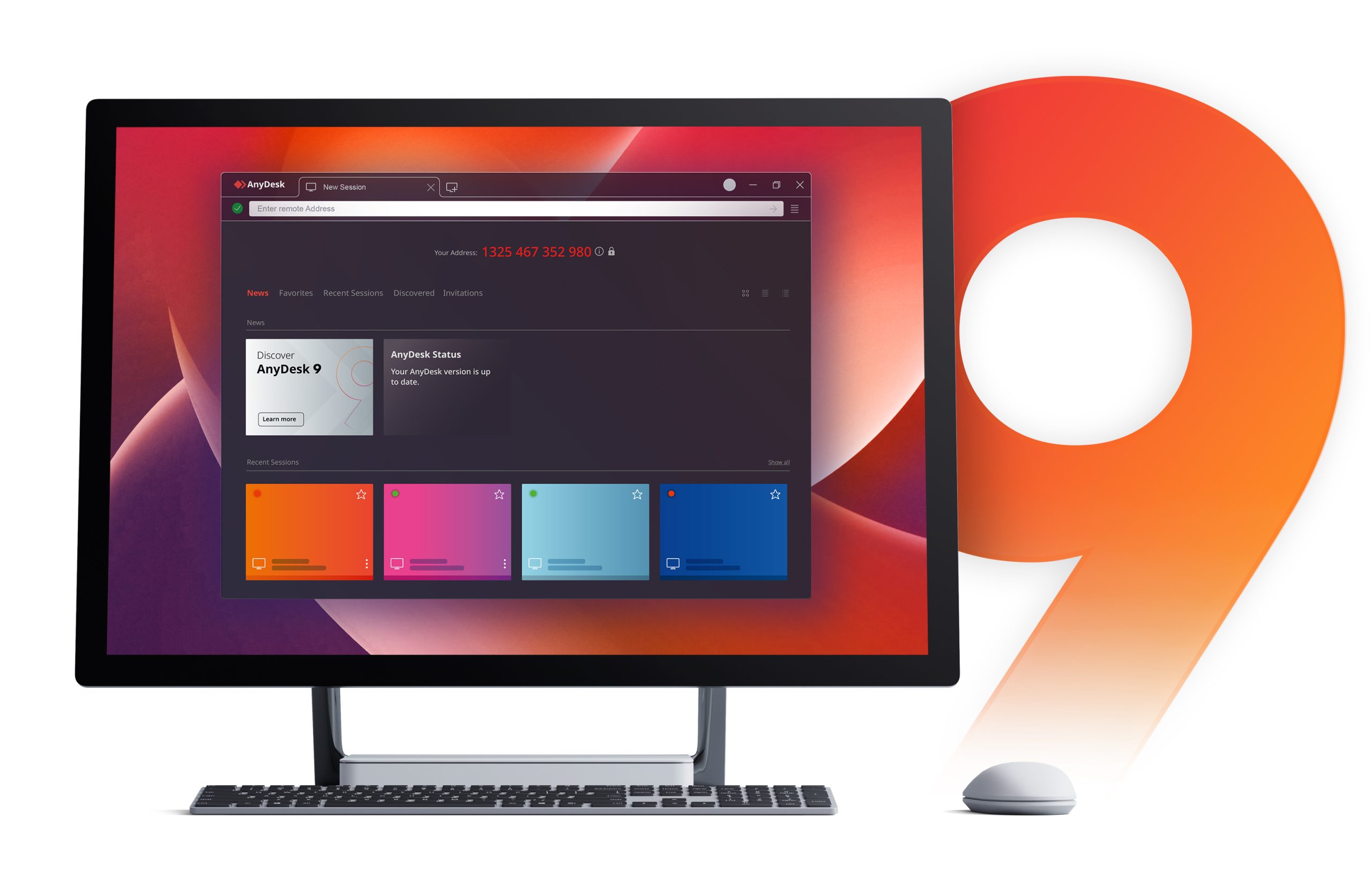
AnyDesk is remote desktop software allowing you to control any device remotely from your own PC. The program supports many different operating systems, including all versions of Windows, MacOS, Android, iOS, Linux, Raspberry Pi, FreeBSD, and ChromeOS. In addition, it is multiplatform, so you can use it from Windows and connect to the desktop of any other platform or vice versa.
Getting started with AnyDesk is very simple. All you have to do is double-click on the executable, and without the need for installation, the main program window will open in less than ten seconds. The first thing you can see in this window is your unique address, composed of nine numbers, which you can share with any other application user to connect to your computer. Once you share your address code with another user, a pop-up message will warn you that they are trying to take control. For security reasons, you need to confirm this message, and only after this confirmation will the other person be able to start controlling your desktop remotely.
If you want to control another user’s computer, the process is just as simple. In this case, all you would have to do is enter the nine numbers of the other computer’s address in the program’s address bar at the top of the interface. Once you do this, the other device must confirm you can take control. Once you get the confirmation, you can start controlling the other computer remotely: your mouse movements will be the mouse movements of the other device, and basically, you will be able to do anything you could if you were in front of that PC.
One of the reasons why AnyDesk is so popular is because it makes remote technical support so much easier. Thanks to this small program, with an executable of less than 4MB, you can remotely access any computer as long as its owner permits you. This way, you can check if the other computer has any problems, if the drivers are up to date, if it has any viruses or spyware, if there are overheating problems, etcetera. Checking everything is working correctly on a computer hundreds of miles away has never been easier.
AnyDesk is an excellent remote desktop app, useful in almost any environment. The most obvious use, of course, is technical support, but it will also allow you to help your friends and family at any time. It will even allow you to carry out fast file transfers between two connected computers. And all this regardless of platform or operating system.
Translated by Uptodown Localization Team
Frequent questions
Is AnyDesk free?
Yes, AnyDesk is free. Any user can download and use the program free of charge without needing to purchase a license. All basic features are available to users of the free version.
Is AnyDesk dangerous?
No, AnyDesk is not dangerous. The program shows zero positives in VirusTotal, and all the connections it makes are encrypted, so in theory, its users should be safe.
Can I control another computer with AnyDesk?
Yes, you can control other computers with AnyDesk. That is the main objective of the program, in fact. However, the owner of the other device will need to allow you to do so.

Reviews
There are no reviews yet.