- Your cart is empty
- Continue Shopping

Zoom License
Zoom – Licensing Overview & Enterprise Pricing
This article is the third in a series about how to get started with Zoom in an enterprise environment. This includes understanding Zoom Licensing & Enterprise pricing.
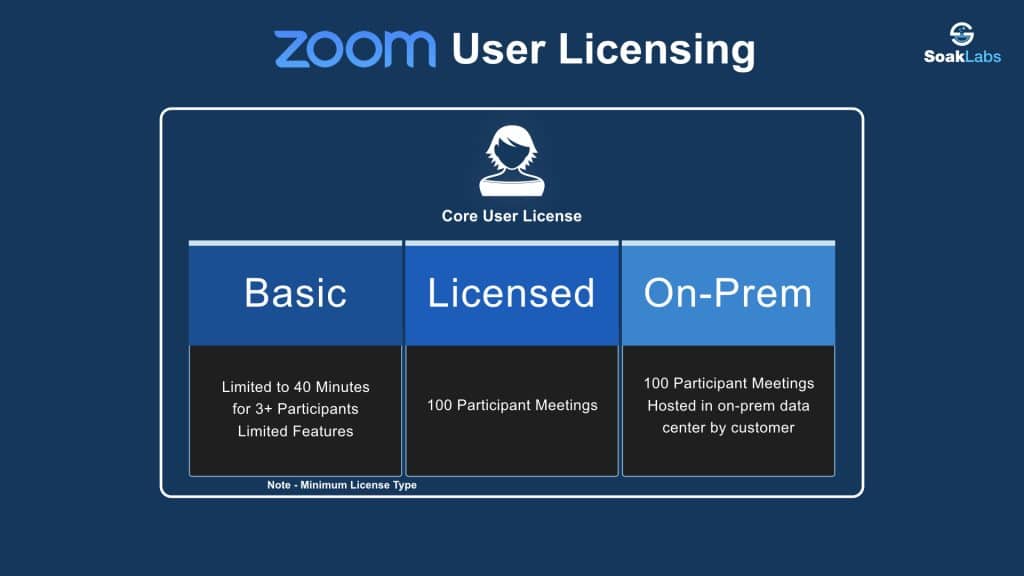
Zoom’s product is sold in the classic software/cloud, as a service model. Fundamentally this service is based and consumed primarily at the user level. This means that you will need to buy a license for each user that will use Zoom. Just like a mobile service plan, Zoom offers both a number of premium add-ons to enhance the standard user license. Of course these add-on’s are combined into a bundle with the core user license when buying licensing at scale as well. The Zoom Room license can be thought of just like a user license, where each room needs its own license and potential add-ons. Zoom also has additional account level based licenses that are only applied globally at the account level. This additional level can be used for global features as well as professional services you can purchase. In order for you to get all enterprise management, SSO, and branding features, you need to have at least 10 user licenses on the account.
Zoom User Licensing

On top of the core user license, Zoom currently offers three distinct add-on’s for a user: Webinar, Large Meeting and Zoom Phone. These features can be enabled via provisioning of the user as well.
Webinar – Ability to give webinars – A user can only have one of these assigned at once.
- 100 Participants
- 500 Participants
- 1,000 Participants
- 3,000 Participants
- 5,000 Participants
- 10,000 Participants
Large Meeting – Increase the maximum number of participants in a meeting – A user can only have one of these assigned once.
- 500 Participants
- 1000 Participants
Zoom Phone – Cloud PBX Phone System
This product is licensed to be able to make and receive external calls. If a user only needs to make internal calls, there is no charge for Zoom Phone. The calling plan for the user or common area phone/analog needs to be picked based on where the telephone number is located. Meaning if a user wants a phone number in the USA and the UK, they will need two different calling plans with Zoom. If all your phone numbers are routed via your own ‘BYOP’ SIP Trunking, then you only need a single calling plan for each user.
- Metered Calling Plan – Includes a single DID for the user. All calling will be charged per minute based on your account rate plan /bucket of minutes.
- Unlimited Calling National + Metered International – Includes a single DID for the user. All national calling for the user will be unlimited from where the user is based, International calling is based on your account rate plan
- BYOP – ‘Bring Your Own Phone’ – Which means Bring your own SIP trunk (via internet or direct peering via internet). This allows you to send PSTN calls via your own infrastructure.
- BYOC – ‘Bring Your Own Carrier’ – Pay for you plan via your Carrier SIP Trunk (usually purchased in the channel. The idea is for a large company that has existing contracts, you can continue to use them for calling, and zoom will peer with them on the phone company side.
Zoom Room Licensing

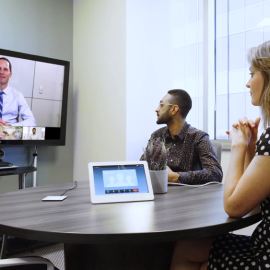
Zoom Rooms – Licensed based on the type of functionality you need for a room. A room can also be enabled with a Zoom Phone number to make outbound/inbound phone calls using the same calling plans purchased for users.
- Zoom Room – The Primary paid Zoom Room Software License.
- Scheduling Display Only – ‘Basic’ free Room Scheduler display only. For spaces that need to be booked, but don’t have a Zoom Room inside.
- Digital Signage Only – ‘Basic’ free digital signage display.
What about Zoom Room meeting capacity? For meeting started from a Zoom Room, the number of participants the meeting can hold uses the Meeting Capacity account level setting. You can see this number under Account Profile section of Account Settings. You can also license a Zoom Room with a large meeting add-on plan, individually.


Reviews
There are no reviews yet.